nXportal - How to Check-In/Check-Out
By King on April 1, 2025
Beginner1. Make sure that the Location service on your device is enabled.
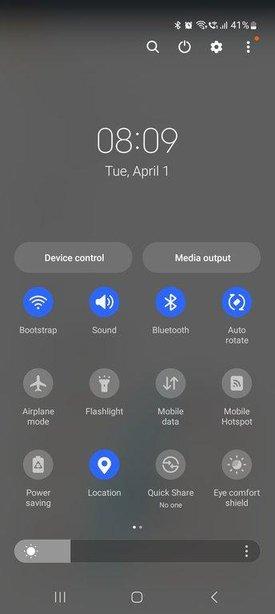
2. Open your mobile phone browser and open the link portal.nxscale.com
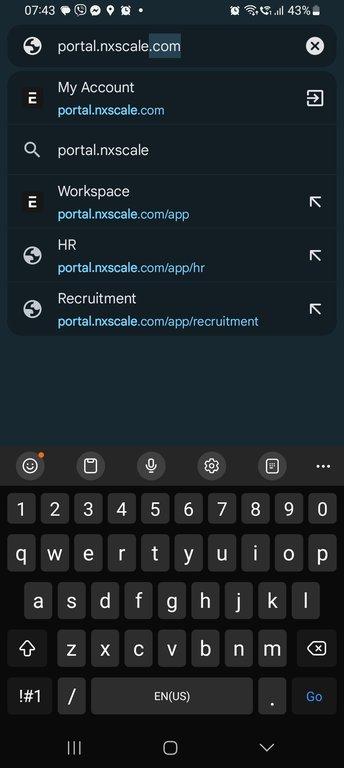
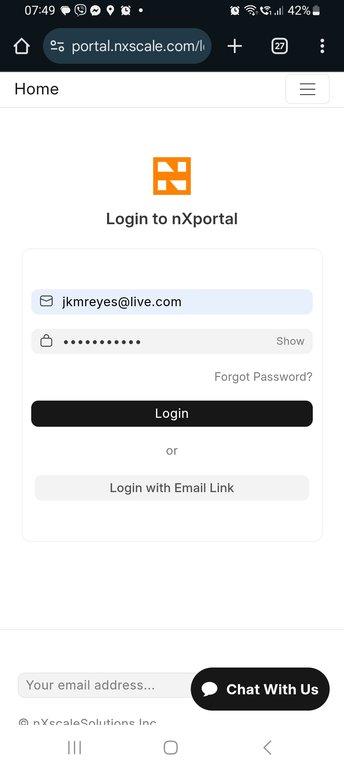
3. Login to your nXportal account using your credentials
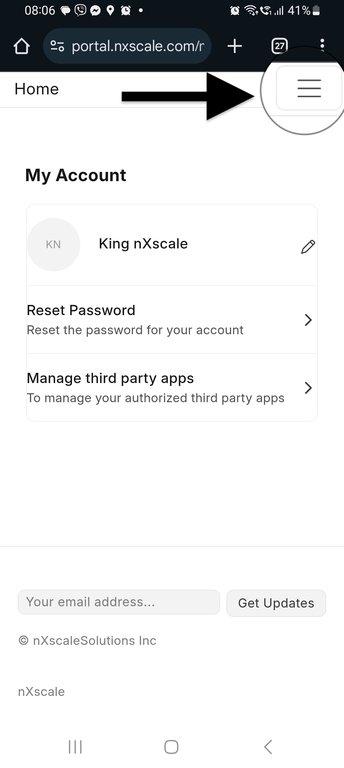
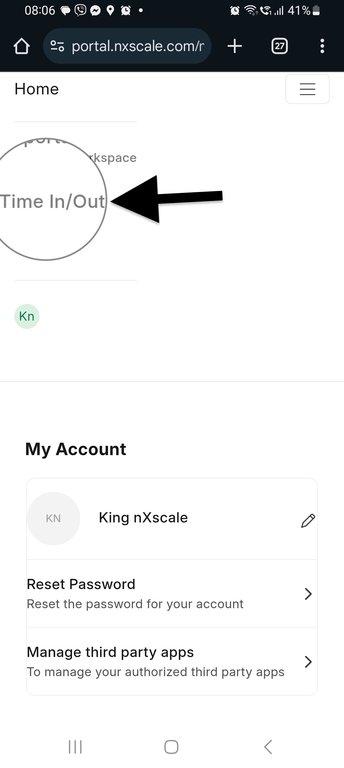
4. Tap on the hamburger menu at the top right of the screen
5. Tap on Time In/Out link
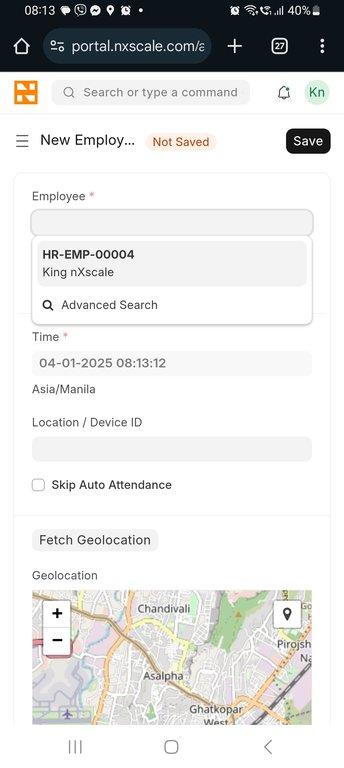
6. Select your user ID
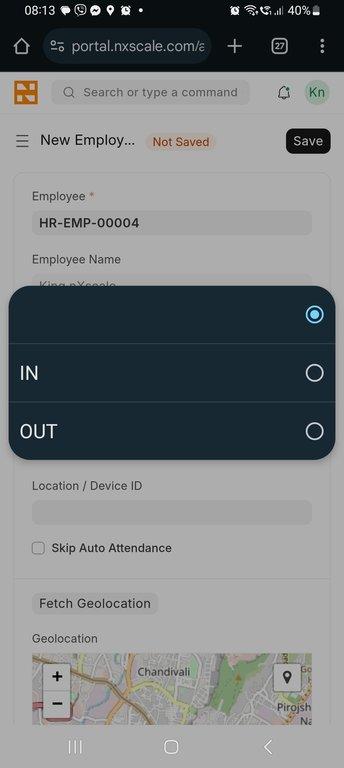
7. Select IN for time in or Out for time out.
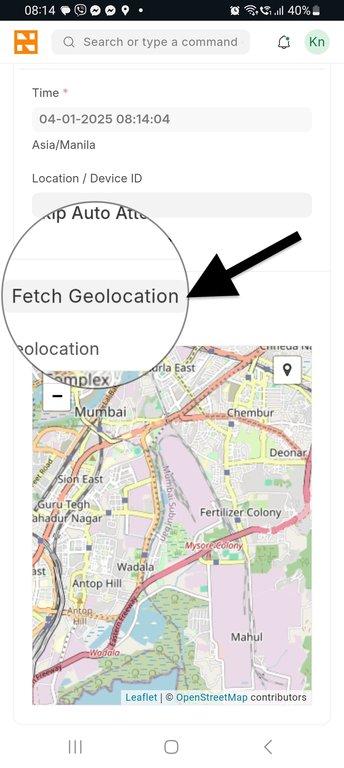
8. Tap the Fetch Geolocation button.
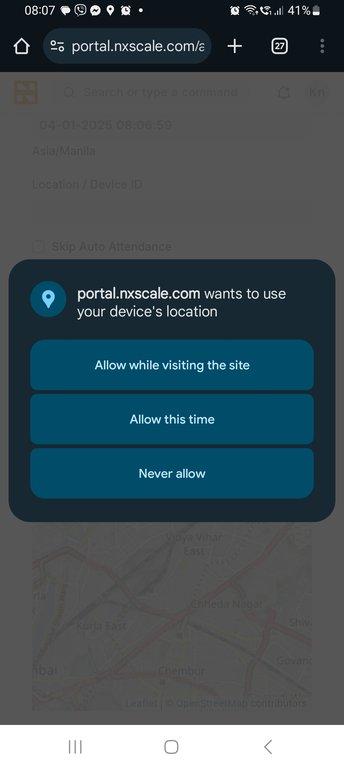
9. When asked for access permission select "Allow while visiting the site"
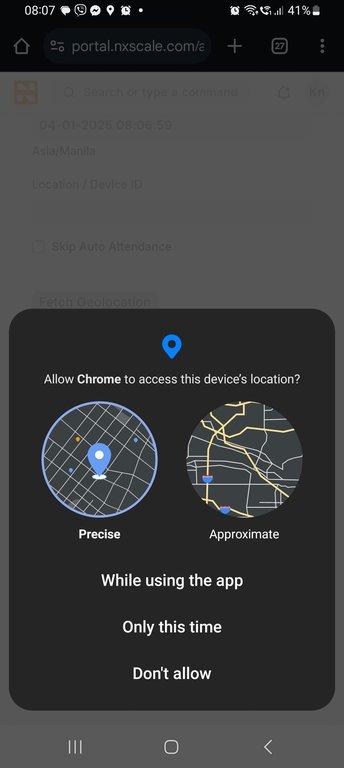
10. Allow chrome to access the Precise device location While using the app.
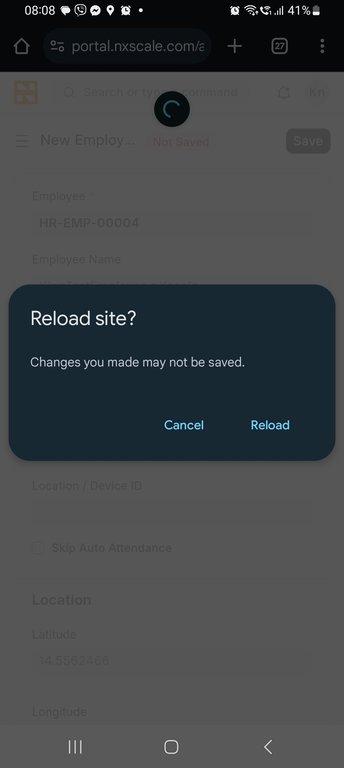
11. If the app takes longer than a couple of minutes you may need to reload the side by tapping and swiping from top to bottom of the page.
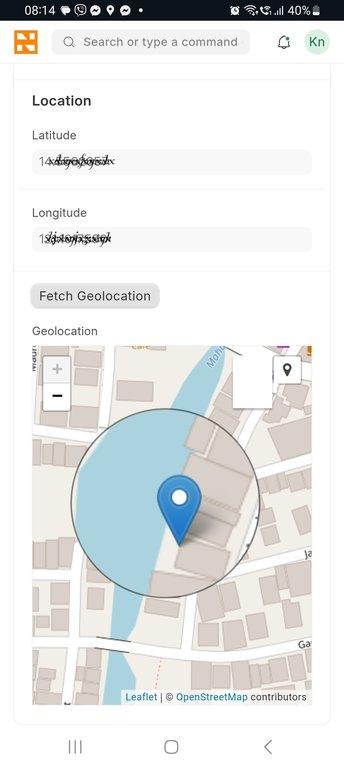
12. Make sure your location Lat and Long are populated and your location is pinned in the map.
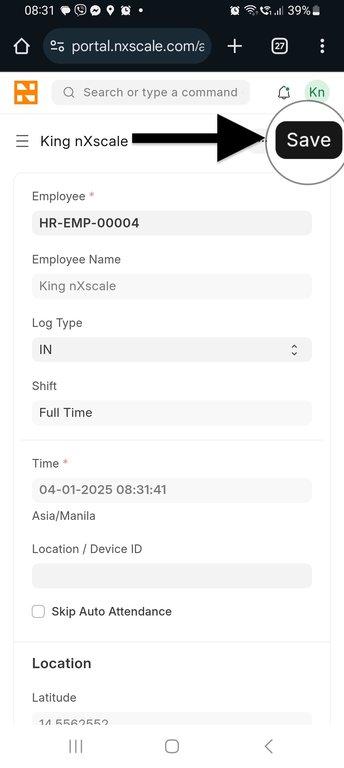
13. Tap on the Save button.
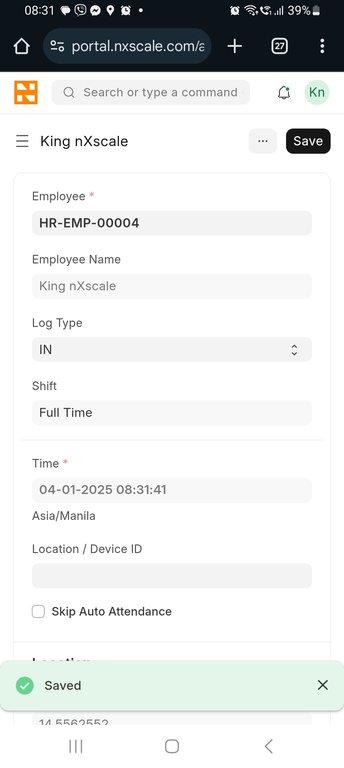
14. Once login is complete you will see a Saved notification at the bottom of the screen.
More articles on Account Management